

Table of Contents
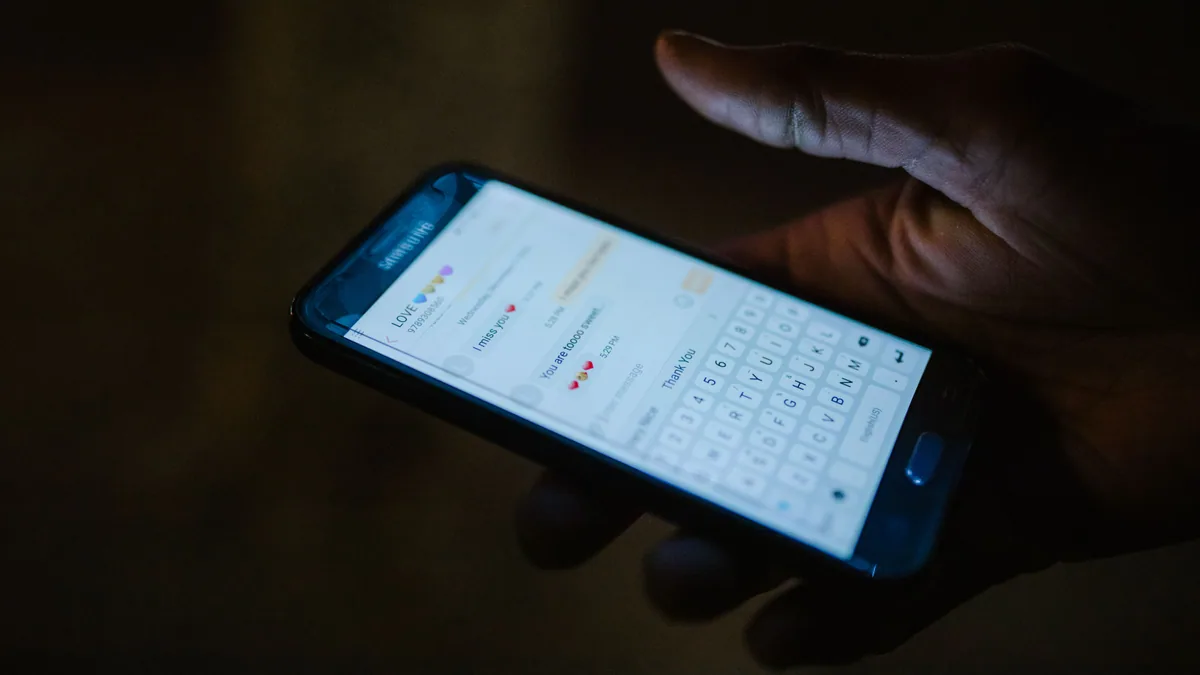
Yes — you can keep WhatsApp number with eSIM data running alongside it, and WhatsApp will carry on exactly as it does at home. Your travel eSIM (embedded SIM, the digital SIM built into your phone) becomes a second line that handles data only, while your existing SIM stays active for calls, texts and your WhatsApp account.
How we make money: Atlas eSIM sells the plans linked in this guide, and we earn money if you buy one. Alternatives are covered with the same criteria. How we research and compare
That combination is exactly what dual SIM travel is for. You pay local-style data rates abroad without giving up the number your bank, your boss and your family already have.
Quick answer on how to keep number with eSIM: install a travel plan as a second line, set it as your data line, and leave your home SIM switched on for calls and SMS with data roaming turned off. WhatsApp is tied to your phone number rather than the SIM card, so it keeps working over the eSIM’s data connection.
Where the claims on this page come from
Keeping a phone number while adding a travel line is a subject with a great deal of confident writing behind it and not much sourcing, so here is what this page rests on and where it stops.
- The behaviour described here is defined by the GSMA eSIM specification and by how iOS and Android implement dual SIM, not by any provider’s marketing. A profile is a subscription credential; adding one does not touch the others on the device. That is the whole technical answer and everything else follows from it.
- The WhatsApp behaviour comes from how the app authenticates, which is against a phone number you verified once, not against a SIM card present in the device. This is why the account survives adding a line and why re-registering is the one action that breaks it.
- Roaming charge claims describe the general rule and name the exceptions. Receiving SMS is free in most places and always so within the EU, but inbound call charges while roaming vary by operator and country. Check your own operator’s terms rather than trusting a blanket statement, including this one.
- The two-factor problem is weighted above everything else. Most guides stop once WhatsApp is working. The failure that actually strands people is a bank code sent to a number they can no longer receive on, which is a different problem with a different fix, and it gets its own section below.
- We name competitors and never publish their prices. Travel data pricing changes weekly and a figure printed here would be wrong within the month. You get the shape of each option and an instruction to check the live number.
- Where something depends on your specific handset, operator or country, we say so rather than generalising. Most bad advice on this topic is a true statement about one phone applied to all of them.
Last checked: September 2026.
How to keep WhatsApp number with eSIM, technically
To keep WhatsApp number with eSIM you need one idea: modern phones separate three things you might once have assumed were one: the line that carries your mobile data, the line that makes and receives calls, and the line that receives SMS. A dual SIM phone lets you assign each of those to a different SIM.
So you land in Lisbon with dual SIM travel set up, your travel line starts serving data, and your home SIM sits quietly in the background — still registered to a local network, still able to receive a call or a verification code, but not spending a penny on data roaming because you have switched that off.
WhatsApp abroad does not care which SIM is doing the work. It authenticated your number once, at install, and from then on it runs entirely over whatever internet connection your phone has. Pull the SIM out completely and WhatsApp still works on Wi-Fi.
Dual SIM travel needs a dual SIM phone, and nearly every flagship released from 2018 onwards supports eSIM, along with most mid-range models from the last few years. Check your specific model before you buy anything — our list of handsets with eSIM support covers the common ones, including regional variants that differ from the international release.
Set up dual SIM travel and keep number with eSIM
Set up dual SIM travel before you fly, on Wi-Fi at home. Installation needs an internet connection, and it is much less stressful in your kitchen than at baggage reclaim.
- Confirm your phone is unlocked and eSIM-capable. If you bought it on contract, call your carrier and ask them to confirm the network lock has been removed. A locked phone will accept the eSIM profile and then refuse to connect.
- Buy your travel eSIM and install the profile. Most providers send a QR code (Quick Response code, the square barcode your camera scans) or a direct activation link. On iPhone: Settings > Mobile Service > Add eSIM > Use QR Code. On Pixel: Settings > Network & internet > SIMs > +. On Samsung: Settings > Connections > SIM manager > Add eSIM. Our full eSIM installation walkthrough has the screen-by-screen detail.
- Label the lines clearly. When prompted, name the travel profile something obvious like "Spain data" and your home SIM "UK number". You will thank yourself later when a menu asks which line to use.
- Set your data line to the travel eSIM. iPhone: Settings > Mobile Service > Mobile Data, then select the travel plan. Android: Settings > Network & internet > SIMs > Mobile data, then choose the travel eSIM.
- Turn off Mobile Data Switching. On iPhone this lives at the bottom of the same Mobile Data screen. Leave it on and your phone may quietly hop back to your home line for data — the exact charge you are trying to avoid.
- Set your default voice and SMS line to your home number. iPhone: Settings > Mobile Service > Default Voice Line. Android: Settings > Network & internet > SIMs > Calls and SMS. This is the step that actually keeps the number you care about working.
- Disable data roaming on the home line only. iPhone: Settings > Mobile Service, tap your home line, then switch off Data Roaming. Android: tap the home SIM under SIMs and turn off Roaming. Keep roaming on for the travel eSIM — it usually needs it to connect to partner networks.
- Test before you leave. Load a webpage, then check the status bar shows your travel plan carrying data. Send yourself a text from another phone to confirm your home line still receives SMS.
A dual SIM travel refinement: turn on Wi-Fi Calling on your home line before departure (Settings > Apps > Phone > Wi-Fi Calling on iPhone, Settings > Network & internet > SIMs > Wi-Fi calling on Android). Some carriers let you make and receive calls on your home number over any internet connection, at domestic rates, which sidesteps roaming voice charges entirely.
Keeping WhatsApp abroad working on a travel line
The single most important rule if you want to keep WhatsApp number with eSIM: do not re-register WhatsApp with a new number while you are abroad. Registering the travel eSIM’s number — if it even has one, many data-only plans do not — would move your account off your home number and cost you your chats and groups.
Leave WhatsApp abroad exactly as it is. It will use the travel eSIM’s data automatically because that is your active data line.
A few WhatsApp abroad settings worth checking before you go:
- Chat backup. iPhone: WhatsApp > Settings > Chats > Chat Backup, and set Back Up Over to Wi-Fi only. Android: WhatsApp > Settings > Chats > Chat backup. A backup over mobile data can consume several gigabytes in one go.
- Media auto-download. WhatsApp > Settings > Storage and data, and under Media auto-download set the mobile data column to "No media" or photos only. Group chats with video-heavy relatives are the main cause of surprise data burn.
- Two-step verification. If you have a PIN set, know it. WhatsApp occasionally asks for it after a network change, and resetting it requires email access.
Voice and video calls in WhatsApp abroad work fine on a travel eSIM. They use modest data — far less than streaming — and are usually the cheapest way to speak to people back home. The same applies to Signal, Telegram, FaceTime and Messenger.
What actually goes wrong with dual SIM travel
The setup is straightforward. These are the specific ways people break dual SIM travel, roughly in order of how often we see each one.
Re-registering WhatsApp with a new number. This is the only action on this page that genuinely destroys something. If a travel plan does include a number and you verify WhatsApp against it, your account moves: your chat history stays on the device but your contacts now see a stranger, your groups do not follow, and moving back means verifying the original number again. There is no reason to do it and no benefit from it. Install the line, change nothing in WhatsApp.
Leaving the home line’s data roaming on. The classic expensive mistake. Both lines are active, the travel line carries data, and the home line quietly uses roaming data in the background for app refreshes and cloud sync. The bill arrives a month later. Switch data roaming off for the home line specifically — not for the phone — and leave the line itself enabled so calls and texts still arrive.
Setting the wrong line as the data line. The mirror image of the same problem: the phone is set to use the home SIM for data, so your travel allowance sits unused while your own operator charges you. On both platforms this is a single setting, and it is worth checking after any restart, because a few handsets have been known to revert it.
The handset is carrier-locked. A phone bought on a contract may refuse any profile other than its own operator’s, and the error message rarely says so plainly. This is the one problem you cannot solve at an airport, because unlocking goes through your operator and can take a day or more. Check it this week.
Two-factor codes that never arrive. Distinct from the roaming question. Some banks and services do not send SMS to numbers registered as roaming abroad, some send codes that expire before a delayed message arrives, and some use app-based verification that needs data rather than SMS. The fix is to move your critical accounts onto an authenticator app before you travel — this takes a few minutes at a kitchen table and is genuinely difficult from a hotel room with no way to receive the code that would let you change the setting.
iMessage and FaceTime pointing at the wrong line. On an iPhone, both are tied to a number and an Apple Account rather than to a SIM, and adding a line occasionally prompts a change. If messages from other iPhone users stop arriving, check that iMessage is still associated with your home number rather than the new line.
Assuming the profile moves to a new phone. A physical SIM you can swap between handsets in ten seconds. A profile frequently cannot be reinstalled once it has been downloaded, and some are single-install only. If you change phone mid-trip, check the provider’s transfer policy before deleting anything, because deleting a profile can be irreversible.
Deleting the travel profile to “tidy up”. Do not, until the trip is over and you are certain you will not return. Removing a profile is instant and reinstalling it often is not.
Receive SMS abroad without a roaming bill
Receiving SMS abroad is where travellers get caught out. Bank one-time passcodes, airline check-in links and account logins still arrive by SMS, and those messages go to your home number, not your travel eSIM.
The good news about receiving SMS abroad: in most countries, receiving an SMS while roaming is free or very cheap, because your carrier bills the sender’s network. Sending one costs more. Check your carrier’s roaming page for the destination — the rate for incoming texts is usually listed explicitly.
| Approach | Keeps your number | Receives SMS codes | Data cost abroad | Setup time |
|---|---|---|---|---|
| Full carrier roaming | Yes | Yes | Highest, often per-day or per-MB | None |
| Local SIM bought on arrival | No — new number | Only to the new number | Low | 30–60 min, passport often required |
| Travel eSIM + home SIM on standby | Yes | Yes, on the home line | Low, prepaid and capped | 10 min, before you fly |
If the comparison matters to your budget, we have run the numbers in more detail in our roaming versus eSIM cost breakdown.
Atlas eSIM plans are data-only so you keep WhatsApp number with eSIM untouched, for exactly this reason — they are meant to sit beside the number you already have rather than replace it. If you are relocating rather than travelling, the calculation changes; keeping a home number long-term is a different problem, covered in our guide to holding on to your original number after a move.

What happens to your other apps, not just WhatsApp
WhatsApp abroad gets the attention because it is the app most people worry about. It is also the easiest case. Here is what the rest of your phone does while you keep WhatsApp number with eSIM data.
Signal and Telegram behave the same way. Both authenticate against a number you verified once, both continue working over any data connection, and both break in exactly the same way if you re-register with a different number. Telegram additionally allows a username, so contacts can reach you without a number at all — worth setting up before a long trip.
iMessage and FaceTime are Apple-account-bound, mostly. They follow your Apple Account and your registered number rather than the SIM in the slot, so they carry on over the travel line’s data. The thing to check is which number outgoing messages are sent from, which is a setting rather than a side effect.
Banking apps are the awkward ones. Many combine app-based login with an SMS confirmation for payments, and some detect a foreign IP address and add a step or block the action entirely. Two habits solve almost all of it: tell your bank you are travelling, and move confirmation onto the bank’s own app or an authenticator rather than SMS. Do both before you leave, because a locked banking app is the one failure on this list with no workaround from abroad.
Authenticator apps need migrating deliberately. If your codes live in an authenticator tied to one device, and that device is the one you are travelling with, you are fine. If they live on a phone you are leaving behind, you are not. Export or re-enrol before departure, and save the recovery codes somewhere that is not the phone.
Streaming and catch-up services follow location, not SIM. Your travel line gives you a foreign IP address, so region-locked content behaves as it would for a local. That is a licensing rule rather than a connectivity one, and no plan changes it.
Work VPNs and conferencing are usually the smoothest part. Both care only about a stable connection with reasonable upload. If a corporate VPN blocks connections from certain countries, that is a security policy to raise with your IT team before you travel rather than something to debug at a hotel desk.
What actually works. Before you fly: check the handset is unlocked, install and test the line, switch the home line’s data roaming off, confirm the data line is correct, and move your critical two-factor authentication off SMS. That sequence takes about twenty minutes and removes nearly every problem described on this page.
Dual SIM travel: what to do if it does not work
Work through these dual SIM travel checks in order before contacting support.
- Confirm the travel eSIM is selected as the data line, not just installed
- Check Data Roaming is on for the travel eSIM — this trips up more people than any other setting
- Toggle Aeroplane mode on, wait ten seconds, toggle it off
- Manually select a network: Settings > Mobile Service > [travel eSIM] > Network Selection, turn off Automatic, and pick a supported operator from the list
- Verify the APN (Access Point Name, the setting that tells your phone how to reach the data network) matches what your provider specified
- Restart the phone — genuinely, a full power cycle, not a screen lock
If, in your dual SIM travel setup, your home number has gone quiet rather than your data, the usual culprit is that the phone dropped the home line while registering the new one. Turn the home line off and on again under Settings > Mobile Service, then wait a minute for it to re-register.
Still stuck? Our eSIM troubleshooting guide covers the less common failures, including profiles that install but never activate.
Keep WhatsApp number with eSIM: frequently asked questions
Will I lose my WhatsApp account if I install a travel eSIM?
No. WhatsApp is linked to your phone number, not to a SIM card, and installing an additional line does not touch it. The only way to lose the account is to deliberately re-register WhatsApp with a different number.
Can I still receive calls on my home number abroad?
Yes, as long as the home line stays switched on and registered to a network. Incoming calls while roaming are usually charged, sometimes at a high rate, so many travellers let them go to voicemail and call back over WhatsApp or Wi-Fi Calling.
Does my travel eSIM come with its own phone number?
Most data-only travel plans do not include a usable number for calls or SMS. That is intentional — you keep your existing number for anything voice or text related, and the eSIM handles data.
What happens to my data allowance if I forget to switch data lines?
Your phone will use whichever line is set as the data line, so if the home SIM is still selected you will be roaming at your carrier’s rates. Check the status bar on your first morning abroad and confirm the carrier name shown matches your travel plan.
Can I use this setup on an iPad or a second phone?
Yes, if the device supports eSIM, though tablets have no home voice line to preserve. Apple’s own device documentation at support.apple.com lists eSIM capability by model, and the GSMA maintains background on how the technology is standardised across networks.
Will installing a travel line change my WhatsApp number?
No. WhatsApp is registered to a phone number, not to a SIM card, and adding a second line does not touch that registration. Your contacts see the same number, your groups are unaffected and your history stays put. The only way to change it is to actively re-register with a different number, which you should not do.
Can I use WhatsApp abroad on the travel line’s data?
Yes, and that is the intended setup. The app sends and receives over whatever data connection the phone is using, so it runs on the travel allowance while your home number stays registered for calls and texts. Voice and video calls work the same way, and they use less data than most people expect — a voice call is a fraction of what a video call consumes.
Do I need to turn my home SIM off?
No, and you should not. Leave the line enabled so incoming calls and SMS still arrive, and switch off data roaming for that line specifically. That combination gives you your number without the bill, which is the entire point of dual SIM travel.
Will I still get bank verification codes?
Usually, provided the home line is active and has signal. Receiving SMS is free in most countries and always within the EU. The exceptions are worth preparing for: some banks will not send codes to a number that is roaming, and some codes expire before a delayed message lands. Move critical accounts to an authenticator app before you travel and the problem disappears.
What if my phone only has one physical SIM slot?
That is the normal case and it is fine. Nearly every phone released from 2018 onwards supports at least one embedded profile alongside the physical slot, which is exactly the configuration this page describes: home SIM in the tray, travel profile downloaded. Some recent models have no tray at all and hold two profiles instead, which works identically.
Can I set this up after I land?
You can, but it is the worst moment to try. Installing a profile needs an internet connection, which means finding airport wifi while tired, and every problem described above is harder to diagnose standing in an arrivals hall. Install and test at home at least a day before departure — the profile sits inactive until you switch it on.
Before you go
Set up dual SIM travel and test it at home, on Wi-Fi, at least a day before you fly — activation problems are trivial to fix from your sofa and miserable to fix in an airport queue.
Take five minutes before any dual SIM travel to move your critical two-factor codes to an authenticator app where the option exists. It reduces how much you depend on SMS reaching you abroad, and it is worth doing regardless of how you connect.
Then pick a WhatsApp abroad plan sized to your trip rather than your anxiety: a week of maps, messaging and the occasional video call rarely needs more than a few gigabytes. Atlas eSIM plans cover most destinations from a few days upwards, so you can arrive with data already running and your own number still ringing.