
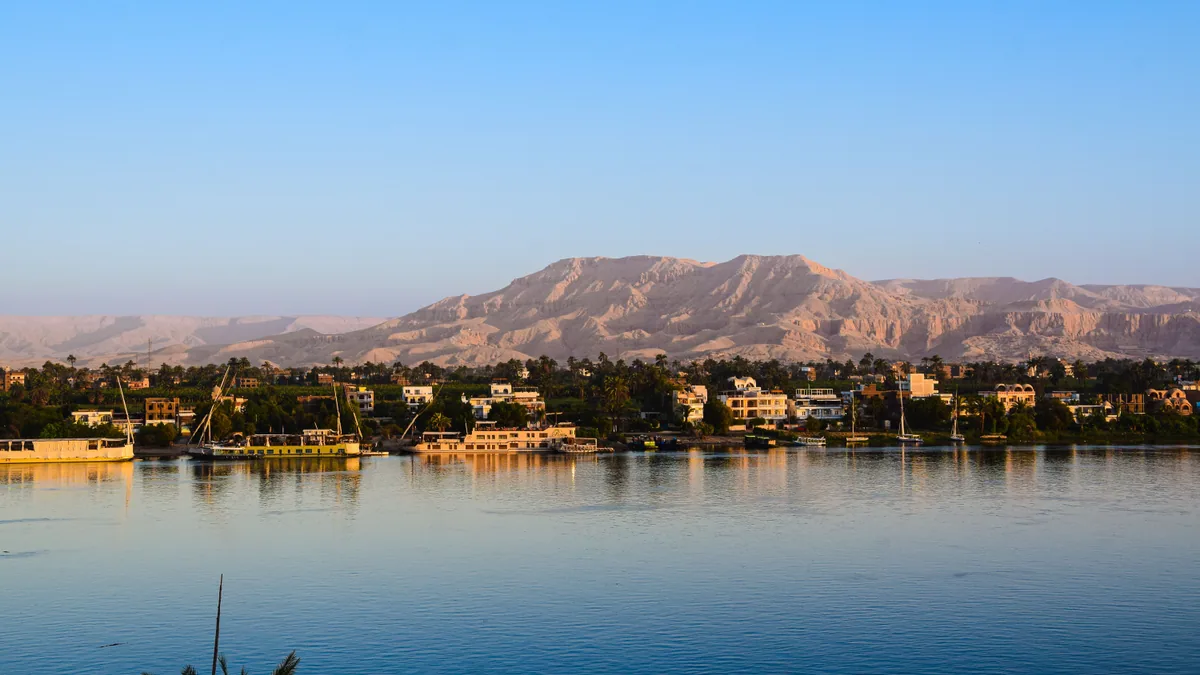
Yes, an eSIM works well in Egypt. The country has four national mobile operators, solid 4G across every city and tourist site you are likely to visit, and no restriction on foreign travellers using an embedded SIM (eSIM) instead of a plastic one.
The practical questions are which network your plan connects to, how much data a two-week Nile-and-Red-Sea trip actually burns through, and whether to sort it out at home or at a kiosk in Cairo airport. This guide covers all three, plus the one Egypt-specific quirk that catches travellers out: calling apps.
Quick answer: an eSIM Egypt plan is a digital data SIM you install on your phone before you fly, connecting to Egyptian networks such as Vodafone Egypt, Orange or e& the moment you land. It gives you mobile data in Egypt without passport registration, airport queues or roaming charges — but it does not give you an Egyptian phone number.
Does your phone support an eSIM in Egypt?
There is no Egypt-specific compatibility issue. If your handset supports eSIM anywhere, it supports it in Egypt.
Most flagship phones released from 2018 onward handle eSIM: iPhone XS and later, Google Pixel 3 and later, Samsung Galaxy S20 and later, and recent iPad, Motorola and Huawei models. Two exceptions matter. Phones bought in mainland China frequently ship without eSIM hardware, and handsets bought on contract from a carrier may be network-locked, which blocks any other profile from activating.
Check the exact model, not the family name — support sometimes varies between regional variants of the same phone. Our rundown of which handsets can run a travel eSIM lists the current models, and the fastest test is to look for Settings → Mobile Service → Add eSIM on iPhone or Settings → Network & internet → SIMs → Add eSIM on Android. If the option exists, you are fine.
Egyptian networks run 4G LTE on the common European frequency bands, so any phone sold for the UK, EU, Australian or North American markets in the last several years will find a signal without band problems.
Egypt’s mobile networks and where coverage actually holds up
Four operators share the country: Vodafone Egypt, Orange Egypt, e& Egypt (formerly Etisalat Misr) and WE, the mobile arm of state-owned Telecom Egypt. Vodafone has the largest subscriber base and, anecdotally, the most consistent reach outside the main corridors. Orange and e& are close behind in the cities.
All four hold 5G licences awarded in 2024 and are rolling out coverage, concentrated in parts of Greater Cairo and a few resort areas. Treat 4G as what you will actually use. It is fast enough for maps, ride-hailing, video calls and uploading photos.
A travel eSIM typically connects to one or more of these networks through a roaming agreement, and your phone may hop between them depending on signal. You will see the operator name change in the status bar — that is normal, not a fault.
Cairo, Giza and Alexandria
Strong and dense. You will have working data in Downtown Cairo, Zamalek, Maadi, Heliopolis, on the Giza plateau, along the Alexandria Corniche and throughout the Delta towns. Speeds dip in crowded places — expect congestion around the Pyramids at midday and inside the Grand Egyptian Museum when it is busy.
Cairo’s ring road and the desert road to Alexandria are covered end to end.
Luxor, Aswan and the Nile valley
Both cities have good 4G in the centre, on the East Bank hotels strip and across the West Bank. Coverage follows the river closely, so a Nile cruise between Luxor and Aswan keeps a usable signal for most of the sailing, weakening on the long empty stretches around Edfu and Kom Ombo and behind the Esna lock.
Inside tombs, you will have nothing. The Valley of the Kings, the interior of Abu Simbel and the deeper chambers at Dendera are all dead zones. Download your maps and audio guides in advance.
Red Sea resorts and Sinai
Hurghada, El Gouna, Sahl Hasheesh, Marsa Alam, Sharm el-Sheikh and Dahab all have reliable urban coverage. Signal drops off quickly once a dive boat is a few kilometres offshore, and the mountain roads through central Sinai — including the drive up to St Catherine’s Monastery — have long gaps.
Nuweiba and Taba on the Gulf of Aqaba are covered, though phones there sometimes latch onto a Saudi or Jordanian network across the water. Check the operator name before you start streaming, because that would be roaming outside your plan’s country.
Deserts, oases and the far south
This is where Egypt travel data genuinely runs out. The Western Desert route through Bahariya, Farafra and the White Desert has patchy service between settlements and none at all in the dune fields. Siwa Oasis has coverage in town and very little beyond it. The road south from Aswan to Abu Simbel crosses long stretches with no signal.
If you are heading into any of these, treat connectivity as unavailable and plan accordingly — offline maps, a copy of your booking references, and a rough time you have told someone you will check in.
Download the whole of Egypt in Google Maps offline before you leave your hotel wifi. The file is modest, it covers every site you are likely to visit, and it works in the tombs, in the desert and in the dead zones between Nile towns where paid mobile data in Egypt cannot help you.
How much Egypt travel data do you actually need
Most travellers overbuy. Hotels, riads, Nile cruise boats, cafés in Zamalek and beach clubs in El Gouna all have wifi of some description, and a good portion of your day is spent inside temples where you are not on your phone anyway.
Rough guidance for a solo traveller:
- Light use — maps, WhatsApp text, boarding passes, occasional browsing: around 500 MB to 1 GB per week.
- Normal use — the above plus social media, ride-hailing, photo uploads, a few short video calls: roughly 3–5 GB for a ten-day trip.
- Heavy use — hotspotting a laptop, working remotely, streaming, uploading video: 10 GB and up for two weeks.
Two things push usage higher in Egypt specifically. Uber and Careem both operate in Cairo and Alexandria and are the easiest way to avoid taxi negotiations, but ride-hailing keeps GPS and data running for the whole journey. And if you are sharing a connection with a partner via personal hotspot, double your estimate rather than adding a little.
If you are travelling as a couple or family, one person hotspotting a larger plan is usually simpler than four small ones — though it does mean everyone’s connectivity depends on one battery.
eSIM Egypt options compared with a local tourist SIM
Here is how the realistic choices stack up for a two-week trip.
| Option | Setup time | Passport registration | Keeps your home number | Coverage | Best for |
|---|---|---|---|---|---|
| Travel eSIM | 5–10 minutes, before you fly | No | Yes, as a second line | National 4G via local networks | Most travellers; data-only needs |
| Egypt tourist SIM | 20–45 minutes at a kiosk on arrival | Yes, passport required | No, unless you dual-SIM | Best-in-class on the chosen network | Long stays; needing an Egyptian number |
| Home carrier roaming | None | No | Yes | Same networks, higher cost | Very short trips with a bundled roaming pass |
| Pocket wifi rental | Order ahead, collect and return | Varies | Yes | Same networks | Groups sharing one connection |
| Hotel and café wifi only | None | No | Yes | Indoors only, variable speed | Budget travellers staying put |
The local option deserves a fair hearing rather than a dismissal.
Pros of an Egypt tourist SIM
- You get an Egyptian mobile number, which some hotel bookings, delivery apps and domestic services ask for.
- Large data bundles are cheap in local terms, especially bought at an in-town Vodafone or Orange shop rather than the airport.
- For stays of a month or more, it is almost certainly the lower-cost choice.
Cons
- Registration is mandatory under Egyptian telecoms rules, so you hand over your passport and wait.
- Airport kiosks charge a tourist premium and may be closed or unstaffed on late-night arrivals at Cairo Terminal 3.
- You are offline between landing and reaching the counter — which is exactly when you want to call your driver.
- Swapping your physical SIM out risks losing it, and top-up menus are often in Arabic.
If you want the number and the price, buy the local SIM in town on day two rather than in the arrivals hall. If you want data working before you clear passport control, install an eSIM. Doing both is perfectly reasonable and costs very little extra.
For a group all needing the same connection, it is worth reading how a travel eSIM stacks up against a rented pocket wifi device before you commit to carrying a second gadget and its charger.
Setting up your eSIM before departure or on arrival
Install before you fly. The activation step needs an internet connection, and airport wifi at Cairo, Hurghada and Sharm el-Sheikh ranges from serviceable to non-existent.
- Buy your plan and receive a QR code (Quick Response code) by email, usually within a few minutes.
- Connect to wifi at home. On iPhone, open Settings → Mobile Service → Add eSIM → Use QR Code. On most Android phones, go to Settings → Network & internet → SIMs → Add eSIM.
- Scan the code and let the profile download. Label it something obvious like "Egypt" so you can find it later.
- Leave the plan switched off until you land, unless it starts on activation — check the terms of the specific plan.
- On arrival in Egypt, turn on the Egypt line, set it as your Mobile Data line, and leave your home line active for calls and texts but with Data Roaming switched off for that line.
- Check that data roaming is switched on for the Egypt line. This trips up more people than anything else — a travel eSIM technically roams onto Egyptian networks, so it needs that toggle enabled.
If nothing connects after ten minutes, toggle flight mode, then restart the phone. Our step-by-step eSIM installation walkthrough covers the exact menus on each platform, and there is a separate guide to fixing an eSIM that will not connect if the network name never appears.
Pre-departure checklist:
- [ ] Confirm your handset model supports eSIM and is not carrier-locked
- [ ] Install the eSIM profile at home, on wifi
- [ ] Download offline maps for Cairo, Luxor, Aswan and your resort area
- [ ] Save your accommodation addresses in Arabic script for drivers
- [ ] Note your embassy’s contact details and check the current UK government travel advice for Egypt
- [ ] Screenshot your eSIM QR code and store it somewhere accessible offline
Calling apps and VoIP on Egyptian networks
This is the Egypt-specific catch. Voice and video calling over the internet — WhatsApp calls, FaceTime, Messenger calls, Skype — has historically been restricted on Egyptian mobile networks. Text messages, voice notes, photos and file sharing all work normally. It is the live calling function that is affected.
The behaviour is not uniform. Some travellers report calls connecting fine, others find them failing or dropping after a few seconds, and results differ between networks and over time. Hotel wifi is often unaffected.
Practically: assume WhatsApp calls may not work over mobile data in Egypt, and plan around it. Voice notes are a reliable substitute. Many travellers and residents use a VPN, which is legal to use in Egypt though its effectiveness varies. Your WhatsApp account itself stays tied to your home number regardless of which SIM you are using — worth understanding if you are keeping your WhatsApp number while travelling on an eSIM.
For anything genuinely important, a conventional phone call from your home line will connect, at your carrier’s international roaming rate.
Egypt eSIM FAQ
Do I need an Egyptian phone number as a tourist?
Rarely. Hotels, tour operators and airlines will contact you by email or WhatsApp, and ride-hailing apps work with your existing registered number. The main cases for a local number are stays over a month, renting an apartment, or signing up for domestic delivery services.
Will an eSIM work on a Nile cruise between Luxor and Aswan?
Mostly, yes. Coverage follows the river and you will have a signal near the towns and moorings, with gaps on the long open stretches and around the Esna lock. Ship wifi is usually satellite-based, slow and shared, so your own data is generally the better option when there is a signal.
Can I use an eSIM at the Pyramids and in the Valley of the Kings?
The Giza plateau has good outdoor 4G coverage, though it slows when crowded. Inside the tombs at the Valley of the Kings, and inside the pyramids themselves, there is no signal at all. Download anything you need beforehand.
Is a travel eSIM cheaper than roaming with my home carrier?
For most travellers, comfortably so — Egypt sits outside almost every "roam like at home" zone, so standard roaming rates apply. If your carrier bundles a daily travel pass, compare the per-day cost against a data-only plan for the same duration. A short roaming versus eSIM cost comparison shows how the arithmetic usually falls.
Does an eSIM work in Sinai and the Western Desert?
In the towns, yes: Sharm el-Sheikh, Dahab, Nuweiba and Siwa town all have coverage. Between them, expect long dead zones on mountain roads and in the dunes. Treat any desert excursion as an offline trip.
Before you go
Three things make the difference between a smooth arrival and a frustrating one. Install and test your eSIM profile at home rather than in the arrivals hall. Download Egypt’s offline maps and screenshot your key addresses, because the country’s best sights are also its worst dead zones. And decide in advance whether you need an Egyptian number at all — most two-week visitors do not.
If you want data live before you reach passport control at Cairo, Hurghada or Sharm el-Sheikh, Atlas eSIM covers Egypt with plans sized from a few days to a month, so you can match the allowance to the trip rather than the other way round.