
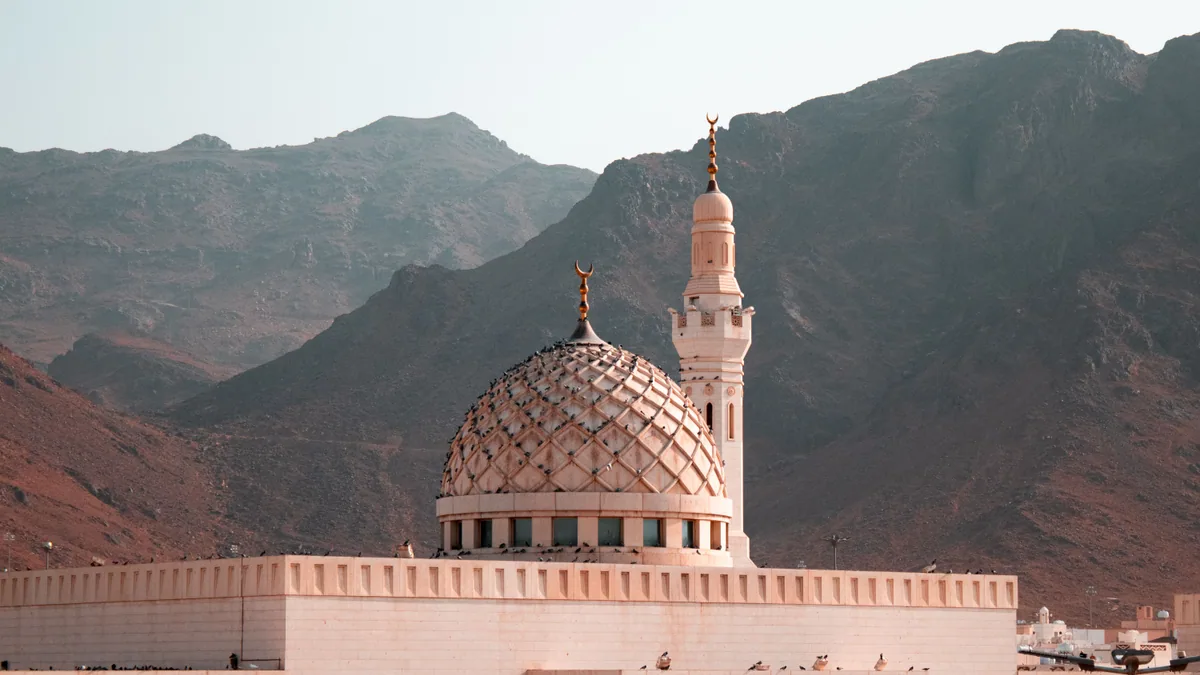
Yes, an eSIM works in Saudi Arabia, and for most visitors it is the simplest way to get online. Travel eSIM plans connect to the same three national networks that everyone else uses — stc, Mobily and Zain KSA — so you get the same towers a local customer does, without visiting a shop or registering a SIM card against your passport.
An eSIM (embedded SIM) is a digital SIM profile built into your phone. You buy a plan online, scan a QR code (quick response code), and the profile sits alongside your normal number until you switch it on. That makes an eSIM Saudi Arabia plan particularly useful for short trips to Riyadh, Jeddah, AlUla or Mecca where you do not want to spend your first hour on the ground queuing at an airport kiosk.
Quick answer: a travel eSIM for Saudi Arabia is installed before you fly and activates the moment you land, roaming onto stc, Mobily or Zain. Expect strong 4G and widespread 5G in cities and along major highways, with weaker signal in desert interiors and parts of the Asir mountains.
Mobile networks and coverage in Saudi Arabia
Saudi Arabia has three facilities-based mobile operators. Every travel eSIM you buy will use one or more of them.
stc (Saudi Telecom Company) is the largest and historically the incumbent. It has the broadest rural footprint, particularly along the Red Sea coast, in the Northern Borders region and across the road network linking Riyadh to Dammam and Jeddah.
Mobily (Etihad Etisalat) is the second operator, strong in the major urban centres and in the Eastern Province around Dammam, Khobar and Dhahran.
Zain KSA is the third, with heavy investment in 5G and good coverage in Riyadh, Jeddah, Mecca and Medina.
There are also smaller brands — Salam, Lebara Mobile KSA, Red Bull MOBILE and stc’s digital arm Jawwy — but these are virtual operators riding on the three networks above, so the underlying coverage is the same.
What coverage feels like city by city
Saudi Arabia was one of the earliest large-scale 5G markets in the world, and it shows. In Riyadh, expect fast, consistent 5G across King Fahd Road, the Diplomatic Quarter, Diriyah and the King Abdullah Financial District. Jeddah is similar along the Corniche, Al Balad and the airport road. Dammam, Khobar and Dhahran are well covered, as are Mecca and Medina, where the operators have built extra capacity around the Grand Mosque and the Prophet’s Mosque.
AlUla has surprisingly good coverage in the town, the old town and around the Hegra visitor entrance, given how remote it feels. Signal thins out on the trails and in the wadis. Abha and the Asir mountains have decent coverage in the towns but genuine dead spots on the mountain roads and near Rijal Almaa.
Where coverage drops off predictably: the Rub’ al Khali (Empty Quarter), long stretches of Highway 10 in the interior, the Edge of the World (Jebel Fihrayn) escarpment about 90 minutes from Riyadh, and the outer Farasan Islands. On the Edge of the World in particular, you will often have one or two bars at the car park and nothing at the cliff edge. Download your offline maps before leaving the city.
During Ramadan and the Hajj season, networks in Mecca and Medina carry millions of extra users in a small area. Data still works, but throughput around the Haram at peak prayer times can slow noticeably. Send large uploads from your hotel rather than the courtyard.
How much Saudi Arabia travel data you actually need
Most travellers overbuy. Hotel Wi-Fi, mall Wi-Fi and increasingly good public Wi-Fi at airports and major attractions absorb a lot of usage, so your mobile data is mostly maps, messaging and the occasional video.
Rough daily figures for a typical trip:
| Activity | Typical daily use |
|---|---|
| Google Maps navigation, 1–2 hours | 40–80 MB |
| WhatsApp messages and voice notes | 20–50 MB |
| Careem or Uber, several rides | 30–60 MB |
| Instagram or TikTok, 30 minutes | 300–600 MB |
| Email, banking, government apps | 20–40 MB |
| Streaming music, 2 hours | 100–150 MB |
A sightseeing traveller who uses hotel Wi-Fi in the evening usually lands somewhere between 300 MB and 700 MB a day. Add heavy social video and you are at 1–1.5 GB a day. If you are working remotely, running video calls or tethering a laptop, budget 2–3 GB a day.
Practical translations:
- Four-night business trip to Riyadh: 3–5 GB is comfortable.
- Ten-day Riyadh, AlUla and Jeddah loop: 10 GB covers most people.
- Umrah trip with family sharing a hotspot: 15–20 GB, because several devices are pulling from one plan.
Buy roughly what you expect and top up if you run short. That is nearly always cheaper than buying a large plan you do not finish.
eSIM versus a Saudi Arabia tourist SIM and other options
Here is how the realistic choices compare for a visitor.
| Option | Cost profile | Setup time | Registration required | Keeps your number | Coverage |
|---|---|---|---|---|---|
| Travel eSIM | Low, fixed per plan | 5 min before departure | No | Yes, on your primary line | stc, Mobily or Zain |
| Local tourist SIM (stc, Mobily, Zain) | Low for large data bundles | 20–45 min at airport or shop, passport needed | Yes | No, new number | Single chosen network |
| Home carrier roaming | Highest, often per-day or per-MB | None | No | Yes | Whichever partner network |
| Pocket Wi-Fi rental | Moderate, plus deposit | Collection and return | Varies | Yes | Single network |
| Hotel and mall Wi-Fi only | Free | None | Sometimes SMS verification | Yes | Indoors only |
A local Saudi Arabia tourist SIM is a perfectly good product. stc, Mobily and Zain all sell visitor bundles at King Khalid International Airport (RUH), King Abdulaziz International Airport (JED), King Fahd International Airport (DMM) and Prince Mohammad bin Abdulaziz Airport in Medina (MED), as well as in shopping centres. You will need your passport, and the assistant will register the line to you — SIM registration is a legal requirement in the Kingdom, enforced by the Communications, Space and Technology Commission.
The trade-offs are time and the second number. If you land at RUH at 2am after a long flight, the counter may be closed or staffed by one person with a queue. And once you have a Saudi number, your WhatsApp, two-factor codes and contacts still live on your home number, which means juggling two lines anyway.
Pros of using an eSIM in Saudi Arabia
- Working data the moment you clear the aircraft door, before you reach immigration.
- Your home number stays active for banking codes and WhatsApp — see our guide on how to keep your WhatsApp number when switching to an eSIM.
- No passport registration, no shop visit, no physical card to lose.
- Easy to buy a second plan mid-trip if you underestimate usage.
Cons
- Data-only plans give you no Saudi mobile number, which some local delivery apps and loyalty sign-ups expect.
- If you are staying more than about a month, a local postpaid or prepaid line is usually better value per gigabyte.
- Your phone must support eSIM, and it must not be carrier-locked.
- You need internet access to install the profile, so it is a before-you-fly task.
If your phone is more than about seven years old, check before you buy. Most flagship handsets from 2018 onward support eSIM — iPhone XS and later, Google Pixel 3 and later, Samsung Galaxy S20 and later — but there are regional exceptions, notably some Samsung models sold in certain markets. Apple’s official eSIM support page lists exactly which iPhones qualify, and our own guide to phones that support eSIM covers Android in detail.
Setting up your eSIM before departure or after arrival
The strong recommendation is to install before you fly and activate after you land. Installing the profile requires an internet connection; using it does not.
- At home, on Wi-Fi, buy your plan and note the activation date or window.
- Install the profile. On iPhone: Settings → Mobile Service → Add eSIM → Use QR Code. On most Android phones: Settings → Network & internet → SIMs → Add eSIM. Scan the QR code from your confirmation email, displayed on a laptop or a second screen.
- Label the line something obvious like "Saudi trip" so you do not confuse it with your home line.
- Turn the line off until you arrive. On iPhone, Settings → Mobile Service → tap the line → toggle Turn On This Line off.
- After landing at RUH, JED, DMM or MED, switch the line on, set it as your mobile data line, and turn data roaming on for that line only. This step catches people out — travel eSIMs technically roam, so the roaming toggle must be enabled.
- Turn off mobile data on your home line to avoid accidental charges from your own carrier.
- Wait one to three minutes for the network to register. If nothing happens, toggle flight mode on and off.
Our step-by-step eSIM installation walkthrough has annotated screenshots if you want to follow along on the device.
Installing on arrival is possible — both RUH and JED have free airport Wi-Fi, though it sometimes requires an SMS verification code that you cannot receive without data. That circularity is exactly why installing at home is the safer plan. If something does go wrong, the fixes are almost always the roaming toggle, the APN (access point name) setting, or an outdated iOS or Android version; our eSIM troubleshooting guide works through them in order.
Atlas eSIM plans for Saudi Arabia are installed the same way, and the QR code arrives by email within minutes of purchase, so you can set the whole thing up the night before you fly.
Apps, calls and practical connectivity in the Kingdom
A few Saudi-specific points worth knowing before you arrive.
Voice over IP. WhatsApp, FaceTime and similar voice and video calling services have been permitted in Saudi Arabia since 2017. In practice, WhatsApp calls over mobile data work normally. Some corporate VPNs behave unpredictably on certain networks, so if you rely on one for work, test it on day one rather than fifteen minutes before a client call.
Ride-hailing. Uber, Careem and Jeeny all operate in Riyadh, Jeddah and the Eastern Province. All three need live data to book and track a ride, which is the single most common reason travellers wish they had bought a slightly larger plan.
Government and travel apps. Visitors performing Umrah use the Nusuk app for permits and slot bookings. Entry procedures, visa categories and health requirements change, so check the UK government’s Saudi Arabia travel advice or your own country’s equivalent shortly before departure.
Payments. Mada, Apple Pay and contactless cards are accepted nearly everywhere in the cities. Cash is still handy in smaller towns and at roadside stalls in the Asir region.
Tethering. Most travel eSIMs allow hotspot use, which is how families share a single plan. Check the plan description rather than assuming, and remember that tethering a laptop for software updates can consume several gigabytes without you noticing.
If your Gulf itinerary continues onward, the practicalities are similar in neighbouring markets — our Qatar travel eSIM guide covers Doha, and the Egypt guide is useful if you are combining a Red Sea trip.
When a travel eSIM is not the right answer
Being honest about the limits:
- A short layover at Jeddah or Riyadh. If you are airside for four hours and never leaving the terminal, airport Wi-Fi is enough.
- A phone without eSIM support, or a locked handset. No workaround here — you need a physical SIM.
- Stays longer than about a month. A local prepaid line from stc, Mobily or Zain will almost certainly cost less per gigabyte over a long stay, and gives you a Saudi number for deliveries and app verifications.
- Work that genuinely requires a local number. Some business banking and logistics platforms in the Kingdom will only send verification codes to a +966 number.
- Very heavy shared use across many devices. A group of six streaming in a villa may be better served by a fixed connection or a pocket router with a local data bundle. Our eSIM versus pocket Wi-Fi comparison sets out where the crossover sits.
For everyone else — the vast majority of visitors on trips of a few days to a few weeks — an eSIM covers mobile data in Saudi Arabia with less friction than any alternative.
Pre-departure checklist
- [ ] Confirm your handset supports eSIM and is not carrier-locked
- [ ] Buy and install the profile at home over Wi-Fi, at least a day before you fly
- [ ] Label the line clearly and leave it switched off until landing
- [ ] Download offline Google Maps for Riyadh, Jeddah and any desert routes
- [ ] Screenshot your eSIM confirmation email and QR code
- [ ] Check your home carrier’s roaming charges and disable data on that line
- [ ] Install Careem or Uber and any Umrah permit apps before departure
- [ ] Note your accommodation address in Arabic for drivers
FAQ: eSIM Saudi Arabia
Does an eSIM work in Mecca and Medina?
Yes. Both cities have dense 4G and 5G coverage from all three operators, and travel eSIMs roam onto those networks normally. Expect slower speeds around the mosques at peak prayer times and during Hajj, when the local user density is extreme.
Do I need to register my eSIM with a Saudi passport check?
No. SIM registration rules apply to lines issued by Saudi operators, so a locally bought tourist SIM requires your passport. A travel eSIM is issued abroad and roams into the country, so no in-person registration is needed.
Will I get a Saudi phone number with a travel eSIM?
Usually not — most travel eSIM plans are data-only. Your existing number stays reachable on your primary line for calls and SMS, and you can make voice calls over WhatsApp, FaceTime or Teams using the eSIM data.
Is a local tourist SIM cheaper than an eSIM?
For very large data allowances or stays of a month or more, a local prepaid bundle from stc, Mobily or Zain often works out cheaper per gigabyte. For trips of a few days to two or three weeks, the eSIM usually wins once you account for the airport queue and the second number.
Can I use my eSIM in AlUla and the desert?
In AlUla town and around the main Hegra visitor areas, yes. Signal weakens on hiking trails, in the wadis and across the Empty Quarter, so download offline maps and share your route before heading into remote terrain.
Before you go
Three things to settle before your flight. First, confirm your handset supports eSIM and is unlocked — that single check prevents almost every problem travellers report on arrival. Second, right-size your data: most sightseeing trips need far less than people assume, and topping up mid-trip is straightforward.
Third, install the profile at home the night before rather than in the arrivals hall. Atlas eSIM plans for Saudi Arabia cover Riyadh, Jeddah, Mecca, Medina, Dammam and AlUla in durations from a few days upwards, so you can match the plan to your itinerary and have working data before you reach passport control.