
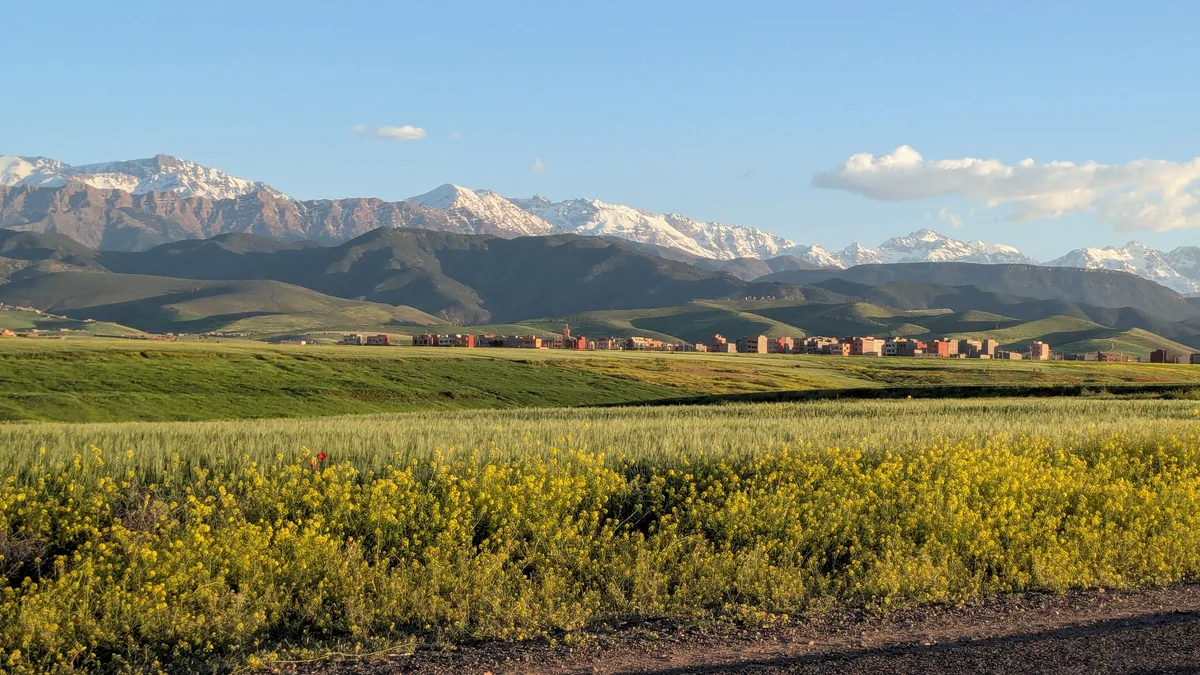
The queue at the mobile kiosk in Marrakech Menara arrivals barely moves, because every person ahead of you is handing over a passport and waiting for a registration form to be typed in by hand. Your riad driver is outside somewhere holding a sign with your name misspelled, and you have no way to message him.
The best eSIM Morocco travellers can buy is the one already sitting on the phone before the cabin door opens: a data-only plan that latches onto a Moroccan network within a minute of you switching off flight mode. This guide gives you the selection criteria first, a straight comparison against a local prepaid SIM and riad wifi second, and a clear recommendation by traveller type at the end.
Quick answer: for most trips, the best eSIM Morocco option is a data-only travel eSIM of roughly 3–5 GB for a week or 10 GB for a fortnight, installed at home and activated on landing. Buy a local Maroc Telecom, Orange or inwi SIM instead if you need a Moroccan phone number or you are staying longer than about a month.
Table of Contents
Planning a trip? Get your Morocco eSIM before you leave.
How we make money: Atlas eSIM sells the plans linked in this guide, and we earn money if you buy one. Alternatives are covered with the same criteria. How we research and compare
What the best eSIM Morocco plan actually has to do
The best eSIM Morocco buyers end up happy with is rarely the one with the lowest number on the listing page. Six things separate a plan that disappears into the background from one you fight with in a taxi on the Route de Casablanca, and they apply whether your trip is four days or four weeks.
- Network access. An embedded SIM (eSIM) is a software profile that roams onto a local operator. Which Moroccan operator it uses — and whether it can switch between them — matters more than any other single factor.
- Data allowance matched to trip length. Buying 1 GB for ten days because it looked cheap is the most common mistake. Buying 20 GB for a long weekend is the second.
- Validity that starts on connection. Good plans begin counting down when the profile first attaches to a Moroccan network, not at the moment of purchase. If you buy three weeks out, that difference is your whole trip.
- Tethering permission. If you plan to share with a partner’s phone, a laptop or a child’s tablet, check that hotspot use is allowed rather than assumed.
- Top-up without reinstalling. Running out in Chefchaouen should mean adding data to the existing profile, not scanning a new Quick Response (QR) code on hotel wifi.
- Installation options and real support. A QR code plus a manual activation code, plus a human to answer when something misbehaves at 23:00 local time.
One more point that no spec sheet mentions: a travel eSIM needs no identity registration. Moroccan law requires prepaid SIM cards to be registered against a passport, which is why the airport kiosk queue crawls. That administrative difference is a large part of why the best eSIM Morocco choice for a short trip is almost always the digital one.
How we chose: the criteria behind this Morocco eSIM comparison
Everything in this Morocco eSIM comparison rests on published, checkable information rather than impressions. We assessed travel eSIM products for Morocco against a fixed set of criteria:
- Declared network partners and whether the provider says which Moroccan operators its profiles use.
- Plan granularity — whether small sizes exist for weekend trips as well as 20 GB-plus options for longer stays.
- Validity terms, including whether the clock starts at purchase or at first connection.
- Tethering and hotspot policy, stated plainly rather than buried.
- Speed policy after the cap — hard stop, throttle, or paid top-up.
- Installation methods: QR code, manual entry, in-app install.
- Support availability and the channels offered.
- Regional and multi-country options, for travellers combining Morocco with Spain or with other African destinations.
For network and coverage context we used the public coverage information published by Maroc Telecom, Orange Maroc and inwi, sector data from Morocco’s telecoms regulator, the ANRT, and general travel guidance from the UK Foreign, Commonwealth and Development Office. Device compatibility statements come from Apple, Google and Samsung support documentation.
We do not publish competitor prices, and we do not quote our own here, because tiers change and a figure written today misleads a reader in six months. Prices are described in bands only. Where we say the best eSIM Morocco value sits with one plan size over another, that judgement is about fit — data per day of trip — not about a specific euro figure. Check the current plan page for whichever provider you are considering, including ours, before you decide which of the top eSIM Morocco options suits your itinerary.
Last checked: 2026-09-28.
Morocco’s three networks and what they mean for coverage
Morocco has three mobile operators: Maroc Telecom (also branded IAM), Orange Maroc and inwi. Your travel eSIM does not build its own towers — it roams onto one or more of these, which is why the best eSIM Morocco performance depends far more on the underlying network than on the logo of the reseller.
Maroc Telecom has the longest history of rural and roadside build-out, and it is often the network you notice still working on the N9 through the High Atlas. Orange Maroc and inwi are strong across the big cities — Casablanca, Rabat, Marrakech, Tangier, Fes, Agadir — and along the busy Atlantic corridor. In practice, in an urban area all three deliver perfectly usable 4G (LTE) for maps, messaging and video calls.
Moroccan LTE generally runs on the bands that European and most international handsets already carry, so a phone bought in the UK, the EU, Australia or an unlocked North American model will normally connect without drama. 5G has begun appearing in the largest cities, but plan your trip around 4G and treat anything faster as a bonus.
Two practical notes. First, some travel eSIM profiles allow manual network selection, which is worth trying if data crawls in one spot — on an iPhone, Settings › Mobile Service › select the eSIM line › Network Selection, then switch off Automatic. Second, the best eSIM Morocco experience in mountain and desert regions comes from patience rather than provider choice: when three networks all thin out at the same pass, no reseller can conjure signal.

Morocco eSIM comparison: travel eSIM, local SIM or riad wifi
Here is the honest Morocco eSIM comparison against the two alternatives travellers actually weigh up, plus the roaming plan you already have.
| Option | Working when you land? | What it takes | Moroccan number | Flexibility | Cost band |
|---|---|---|---|---|---|
| Travel eSIM | Yes, if installed before departure | 5 minutes at home, wifi needed once | No (data only) | Top up or switch sizes in-app | €€ |
| Local prepaid SIM (Maroc Telecom / Orange / inwi) | No — kiosk queue, passport registration | 20–60 minutes on arrival, physical SIM swap | Yes | Cheapest big bundles, but tied to one operator | € for large bundles |
| Riad and café wifi | Only once you reach the riad | Nothing | No | Zero mobility; variable speeds in old medinas | Free |
| Home-network roaming | Usually yes | Nothing, but check your tariff | No | Simple but often capped and expensive outside the EU | €€€ |
Read that as a trade of convenience against unit cost. For the first two weeks, the best eSIM Morocco plan wins, because you skip the queue, skip the registration and have maps working before you reach the taxi rank. Past a month, a local bundle from one of the three operators usually wins on price per gigabyte, and it gives you a Moroccan number that delivery drivers and guides can actually ring.
Riad wifi deserves more credit than it usually gets. Many riads run decent fibre, and if your days are structured around long lunches, hammams and courtyard reading, you may burn under 100 MB outside the building. But medina walls are thick, routers sit in the reception courtyard, and speeds in a top-floor room can be miserable. Wifi is a supplement, not a plan.
If you are also crossing into Spain, Tunisia or further south, look at whether a regional plan beats a single-country one — our multi-country African eSIM guide covers how those are priced and where they break even.
How much data the best eSIM Morocco plan should include
Sizing is where most people get the best eSIM Morocco decision wrong, in both directions. Use rough consumption figures rather than instinct:
- Turn-by-turn navigation: roughly 5 MB per 10 minutes of driving.
- WhatsApp text and voice notes: negligible, a few MB a day.
- Sending holiday photos: about 1–3 MB each.
- Social feeds with autoplay video: roughly 100–150 MB per 15 minutes.
- Video calls: roughly 200–400 MB per hour.
- Streaming standard-definition video: roughly 0.7 GB per hour.
That translates into fairly predictable daily use. A light traveller who navigates, messages and checks email lands somewhere between 200 and 400 MB a day. A moderate user who posts photos and scrolls in the evening sits nearer 500 MB to 1 GB. Anyone streaming, tethering a laptop or holding daily video calls should budget 1.5 GB or more per day.
From there the sizing is simple arithmetic:
- Long weekend in Marrakech (3–4 days): 1–3 GB.
- One week, city plus a desert tour: 5 GB.
- Two weeks, multi-city with Casablanca and the coast: 10 GB.
- A month, or remote work: 20 GB and upwards, or a local SIM.
- Family sharing one hotspot: 10–20 GB, and confirm tethering is permitted.
The best eSIM Morocco strategy for uncertain trips is to start one tier below your guess and top up, provided the plan allows topping up on the same profile. It costs slightly more per gigabyte than buying big up front, but far less than paying for 20 GB and using six. If you are travelling with a partner and want to avoid two purchases, one larger plan plus tethering is usually the better value than two small ones — and the best eSIM Morocco setup for couples is often exactly that.
Coverage from Marrakech to the Sahara
Be clear-eyed about where the signal is and is not. Casablanca, Rabat, Marrakech, Tangier, Fes, Meknes, Agadir and Essaouira all have dense 4G. In these cities you will run video calls from a café terrace without thinking about it.
The route between them is mostly fine too. The A3 and A7 motorways are well covered, and the Al Boraq high-speed line between Tangier and Casablanca holds a usable connection for most of the run, with drops in cuttings and tunnels and the usual handover stutter at speed.
Then it thins. The Tizi n’Tichka pass over the High Atlas towards Ouarzazate loses signal repeatedly between villages. The Dades and Todra gorges have coverage in the towns and very little between them. Desert camps around Merzouga and Erg Chebbi range from a single bar at the camp’s high dune to nothing at all, and camp operators are usually honest about which they have. Coastal roads south of Agadir towards Sidi Ifni and Mirleft are patchy.
None of this is a fault of your plan. No eSIM, local SIM or pocket router changes the physics. What changes your day is preparation: download offline maps for every region before you leave wifi, save your riad’s location pin, and screenshot your booking confirmations.
Medina addresses defeat GPS. Alleys in the Marrakech and Fes medinas are too narrow for reliable positioning and rarely signposted in a way your map understands — ask your riad for a photograph of the door and the name of the nearest derb, and share it with your taxi driver before you set off rather than after you are lost.
Which phones can run a top eSIM Morocco plan
No eSIM support, no top eSIM Morocco plan — this is the one checkable thing to do before you buy anything. Most flagship phones from 2018 onwards support eSIM, but regional variants complicate it.
- iPhone: XR, XS and XS Max onward. US models of the iPhone 14 and later have no physical SIM tray at all.
- Google Pixel: Pixel 3 onward, with a few carrier-specific exceptions on early models.
- Samsung Galaxy: S20 onward for the flagship S and Z series, plus recent A-series models. Some variants sold in particular markets ship without eSIM.
- Others: many recent Motorola, Oppo, Huawei, Honor and Xiaomi models support it; handsets bought in mainland China frequently do not.
To confirm on an iPhone, open Settings › General › About and scroll for an EID number. On Android, open Settings › Network & internet › SIMs and look for "Download a SIM" or similar wording. Apple keeps a maintained device list on its official support site, and the GSMA publishes background on how eSIM works across networks.
Two traps. A phone locked to your home carrier cannot install a third-party profile — unlock it before you travel, which usually takes a carrier request and a day or two. And a company-issued handset may have mobile device management rules that block adding profiles; ask IT before you buy. If you are unsure about your exact model, our guide to which phones support eSIM lists the checks in more detail, and it is worth five minutes before you commit to the best eSIM Morocco plan for your trip.
Get your Morocco eSIM
Stay connected throughout Morocco — instant activation, no roaming bill.
Explore Morocco data plans — activation takes a couple of minutes.
Installing and activating before you fly
Install at home on wifi. The best eSIM Morocco activation sequence is boring and takes about five minutes.
- Buy and receive the profile. You will get a QR code, a manual activation code, or an in-app install button.
- Connect to stable wifi. Downloading the profile needs internet; at this stage you cannot use the eSIM to download itself.
- Add the profile. iPhone: Settings › Mobile Service › Add eSIM › Use QR Code. Android (Pixel wording): Settings › Network & internet › SIMs › Download a SIM instead? › Next.
- Label the line. Name it "Morocco" so you are not guessing between two identical entries at 06:00 in Casablanca.
- Leave your home line on for calls and SMS, but turn its data off. iPhone: Settings › Mobile Service › Mobile Data › select the Morocco line. Android: Settings › Network & internet › SIMs › Mobile data.
- Turn data roaming ON for the eSIM line only. This is the step travellers skip. A travel eSIM is technically roaming, so it will not connect without it. Your home line stays off, so no accidental charges.
- On landing, switch off flight mode and wait. First attachment can take one to three minutes. If nothing appears, toggle flight mode once.
Keep the QR code accessible offline — email it to yourself, or screenshot it. If the code refuses to scan, the fix is usually manual entry of the SM-DP+ address and activation code, and our walkthrough of what to do when a QR code scan fails covers the rest. Anyone installing an eSIM for the first time may prefer the full step-by-step installation guide alongside this one. Done in advance, the best eSIM Morocco setup needs nothing from you at the airport except switching off flight mode.
Calls, WhatsApp and Moroccan phone numbers
Almost every travel eSIM for Morocco is data-only. You keep your home number on your primary line for bank one-time passcodes and the occasional call, and everything else runs over data: WhatsApp, Signal, FaceTime, Google Meet, Teams.
This works well for the vast majority of trips, including calling riads and restaurants that list WhatsApp numbers, which most in Marrakech and Fes now do. Two caveats are worth stating plainly. Voice over IP calling has been restricted on Moroccan networks in the past and app calling can behave inconsistently on some connections, so keep a fallback such as messaging rather than assuming a video call will always hold. And if you need a Moroccan number — for a long-stay rental, a delivery service or a local bank process — a data-only plan will not give you one, and a local prepaid SIM is the better tool.
If WhatsApp is your main channel, note that nothing about adding an eSIM changes your WhatsApp account; it stays tied to your existing number. Our explainer on keeping your WhatsApp number while using a travel eSIM walks through the settings if you want to be certain before you fly. For a wider look at connectivity across the country, including practical points beyond plan selection, see our Morocco travel connectivity guide.
Is a cheap eSIM Morocco plan a false economy?
Sometimes yes, often no. A cheap eSIM Morocco plan is genuinely the right buy when your needs are small and your trip is short — a 1 GB plan for a three-day city break is not a compromise, it is correct sizing.
The false economy appears when "cheap" is achieved by removing something you need. Watch for four things:
- Validity too short. A seven-day plan bought for a ten-day trip means buying twice.
- Tethering blocked. Cheap plans sometimes exclude hotspot use, which matters if you were planning to work from a laptop in a Casablanca café.
- Hard cut-off with no top-up. Some plans simply stop, and you must buy and install a whole new profile on whatever wifi you can find.
- No support channel. When a profile fails to attach, an email address with a 48-hour reply time is not much use in Ouarzazate.
Compare price per gigabyte per day of validity rather than headline price, and the picture usually clarifies fast. A slightly higher price that includes tethering, in-app top-ups and a support line is frequently the cheap eSIM Morocco option in practice, because it is the one you do not have to buy twice. If you want a sense of how any of this stacks up against your home tariff, our eSIM versus roaming cost comparison shows the maths without destination-specific pricing.

When the best eSIM Morocco option is no eSIM at all
Credibility requires saying when not to buy. There are four situations where the best eSIM Morocco decision is to skip the purchase.
A short layover at Mohammed V. If you are connecting through Casablanca in under six hours and never leaving the terminal, airport wifi plus a downloaded boarding pass covers it.
A phone without eSIM support. If your handset has no EID or is carrier-locked, a physical local SIM from a kiosk in arrivals is the straightforward answer. Bring your passport.
A stay of a month or more. Local operators sell large monthly data bundles at prices that a travel eSIM cannot match over that horizon, and you get a Moroccan number. Registration takes half an hour once. For extended remote work, that is usually the better structure — our digital nomad connectivity guide covers how to run a local SIM as your primary line with an eSIM as backup.
Heavy, sustained tethering for a group. Five people streaming from one hotspot burns through any travel plan. A local bundle, or the riad’s wifi where it is good, will serve you better.
Everything else — the week in Marrakech, the fortnight loop through Fes, the desert and the coast, the three-day business trip to Casablanca — is exactly where the best eSIM Morocco plan earns its keep.
Pros and cons of the best eSIM Morocco plans
Pros
- Working data the moment you land, with no arrivals-hall queue and no passport registration.
- Your home number stays active for bank SMS while local data runs on a separate line.
- No physical SIM to lose, and no tray tool needed in a dim riad room.
- Sizes from a few hundred megabytes to tens of gigabytes, so you pay roughly for what you use.
- Easy to add a second country if your itinerary extends to Spain or elsewhere in Africa.
Cons
- Data only. No Moroccan number, which matters for some rentals and services.
- Cost per gigabyte is higher than a local bundle on stays beyond roughly a month.
- Requires a compatible, unlocked phone — a real barrier on older or carrier-locked handsets.
- You are roaming, so in a congested cell your traffic may be deprioritised behind local subscribers.
- Coverage in the High Atlas and deep desert is limited regardless of which of the top eSIM Morocco plans you choose.
Those cons are the honest ceiling on what any provider can promise. The best eSIM Morocco plans manage the first three well and can do nothing about the last two.
Your pre-departure checklist
Work through this before you leave for the airport, ideally the evening before.
- [ ] Confirm your phone supports eSIM and is unlocked.
- [ ] Buy and install the profile at home on wifi.
- [ ] Label the line "Morocco" and set it as your mobile data line.
- [ ] Turn data roaming ON for the eSIM line, OFF for your home line.
- [ ] Save the QR code and activation details offline.
- [ ] Download offline maps for Marrakech, Casablanca and any Atlas or desert region on your route.
- [ ] Screenshot riad addresses, transfer bookings and the doorway photo.
- [ ] Check your home carrier’s roaming charges so nothing activates by accident.
- [ ] Note the support contact for whichever provider you chose.
- [ ] Pack a power bank — the best eSIM Morocco plan is useless on a dead phone after a day of navigation.
Ten minutes of this removes almost every problem travellers report on arrival. Most of what people call an eSIM failure is a data roaming toggle left off, or a profile someone tried to install from an airport lounge with no wifi. If something still misbehaves on the ground, our eSIM troubleshooting guide runs through the fixes in order.
For networks, coverage gaps and how much data you need, read our Morocco eSIM travel guide.
FAQ: best eSIM Morocco questions travellers ask
Will the best eSIM Morocco plan work as soon as I land in Marrakech?
Yes, provided you installed the profile before departure and enabled data roaming on that line. Attachment to a Moroccan network usually takes one to three minutes after you switch off flight mode. If nothing happens after five minutes, toggle flight mode once, then try selecting a network manually.
Do I need a passport to buy a travel eSIM for Morocco?
No. Identity registration applies to physical Moroccan prepaid SIM cards bought in country, which is why kiosk queues are slow. A travel eSIM is purchased online before you travel and needs no local registration, which is a large part of why it suits short trips.
Can I share a Morocco eSIM with my family’s phones?
Usually yes, by turning on the personal hotspot, but confirm the plan permits tethering before you buy. Sharing eats data quickly — two adults and a teenager on one hotspot for a week will comfortably clear 10 GB if anyone streams.
Is a cheap eSIM Morocco plan fast enough for video calls?
Price and speed are not directly linked, since all travel eSIMs ride on the same three Moroccan networks. In Casablanca, Rabat and Marrakech, 4G is generally comfortable for video calls. Speed problems are usually about location and cell congestion, not plan cost.
What happens if I run out of data in the middle of my trip?
With a plan that supports in-app top-ups you add more data to the same profile in a couple of minutes, using riad or café wifi if you have no connection left. Plans without top-ups require installing a new profile, which is why top-up support is one of the criteria for the best eSIM Morocco shortlist above.
Pick your Morocco data plan in a few taps.
Which plan makes sense
Match the plan to the trip rather than to the price tag.
Long weekend in Marrakech, light use. A small plan of 1–3 GB over five to seven days is enough for maps, WhatsApp and photo uploads over riad wifi in the evening. Do not over-buy; this is the case where the smallest tier is genuinely the right answer, and Atlas eSIM offers Morocco plans at that size.
One to two weeks, multi-city with a desert tour. Go for 5 GB for a week or 10 GB for a fortnight, with tethering allowed so a travel partner can share. This is the sweet spot where a travel eSIM clearly beats both the kiosk queue and your home roaming tariff.
Business trip to Casablanca, three to five days. 5 GB with hotspot use covers daily video calls, email and a laptop tethered from a hotel room when the property wifi disappoints. Our business travel connectivity guide covers expense-friendly setups if you need receipts.
A month or more, or remote work. Buy an Atlas eSIM plan for Morocco to cover your first days, then register a local Maroc Telecom, Orange or inwi SIM once you have settled somewhere. You get the arrival convenience and the long-run price, and a Moroccan number for anything that needs one.
Whatever you choose, install it before you fly. The queue at arrivals is the only part of this that cannot be fixed later.
Ready to stay connected? Choose your Morocco eSIM.