
Yes, an eSIM works well in Morocco. Travel eSIM plans connect to the same three national networks that locals use — Maroc Telecom, Orange Maroc and inwi — so you get 4G in every city, town and tourist route you are likely to visit, and you can have it running before your plane doors open at Marrakech Menara or Casablanca Mohammed V.
Quick answer: an eSIM (embedded SIM) is a digital SIM card you install by scanning a QR code, and Moroccan travel eSIMs roam onto Maroc Telecom, Orange or inwi. Install it at home, switch it on when you land, and you have mobile data in Morocco without buying a physical SIM or paying roaming charges.
The rest of this guide covers what coverage actually looks like outside the cities, how much data a two-week trip really uses, what to do before departure versus on arrival, and when a local Morocco tourist SIM is genuinely the better buy.
Which networks your eSIM Morocco plan connects to
Morocco has three mobile operators, and all three run nationwide networks:
- Maroc Telecom (IAM) — the incumbent, and generally the strongest in rural areas, mountain roads and small towns.
- Orange Maroc — strong in Casablanca, Rabat, Marrakech and along the Atlantic coast.
- inwi — competitive urban coverage, especially in the big cities and university towns.
A travel eSIM does not give you a Moroccan account with one of these operators. It roams onto whichever partner network the eSIM provider has an agreement with, and in many cases the profile can attach to more than one — so if signal drops on one network, the phone can look for another. That redundancy is useful in a country where a single ridge line can put you in a dead spot.
4G LTE is the workhorse across the country and is what you should expect almost everywhere. 5G has been rolling out in the major urban centres since 2025, so you may see it in Casablanca or Rabat, but plan your trip around 4G speeds and treat 5G as a bonus.
Coverage in cities and on the tourist trail
In Casablanca, Rabat, Marrakech, Fez, Tangier, Agadir and Essaouira, coverage is solid and consistently fast enough for maps, messaging, video calls and streaming. The Al Boraq high-speed line between Tangier and Casablanca has good signal for most of the route, with brief drops in tunnels and cuttings. Standard ONCF trains between Casablanca, Rabat, Meknes and Fez are similar.
Inside the medinas of Marrakech and Fez, signal is usually fine but can weaken behind thick riad walls and in covered souks. GPS also struggles in narrow, high-walled alleys — that is a satellite problem, not a data one, and no SIM of any kind fixes it.
Where the signal actually thins out
Morocco’s coverage gaps are geographic and predictable:
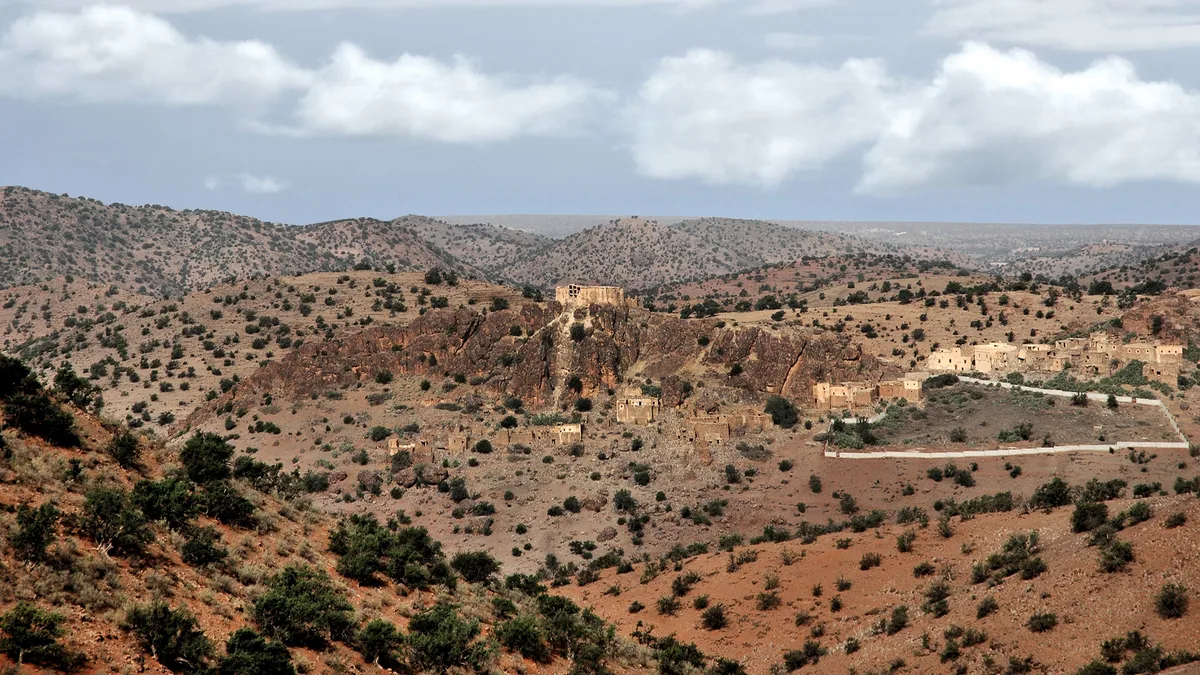
- The High Atlas — the Tizi n’Tichka pass has patchy service, and valley floors around Imlil or Ouirgane can drop entirely.
- The Sahara — Merzouga and Zagora town centres have signal; the dunes and desert camps beyond them often do not. Assume no data at a bivouac.
- Gorges and canyons — Todra and Dades gorges lose signal between villages.
- Long desert road transfers — the run from Ouarzazate towards Erfoud has stretches with nothing.
Download offline maps of Marrakech and Fez medinas before you go, plus the driving route if you are hiring a car. Google Maps offline areas cover navigation and saved pins; what you lose offline is live traffic and search, which matters less on a mountain pass than knowing which turning to take.
How much Morocco travel data you actually need
Most travellers overbuy. Here is what a realistic day looks like on a standard sightseeing trip:
- Light use — WhatsApp, maps, occasional photo upload, checking a booking: roughly 300–500 MB a day.
- Moderate use — the above plus social media browsing, a few voice calls over data, some video: roughly 700 MB to 1.5 GB a day.
- Heavy use — video calls daily, streaming on the train, uploading full-resolution photos or working remotely: 2 GB or more a day.
For a one-week trip with moderate use, a plan in the 5–10 GB range is usually comfortable. Two weeks of light-to-moderate use tends to land around 10–15 GB. If you are working from a riad in Essaouira for a month, look at the larger monthly tiers and check whether your plan allows a top-up mid-trip rather than buying a second one.
Three things quietly eat Moroccan data: photo backup on mobile data (turn it off, back up on riad Wi-Fi), automatic app updates, and video autoplay in social feeds. Fixing those three settings before you fly does more for your data budget than buying a bigger plan.
Hotel and riad Wi-Fi in Morocco is widespread and mostly fine for messaging and email, though bandwidth in older medina buildings can be modest and drops when the property is full. Cafés in Marrakech’s Gueliz district and Casablanca’s business areas are reliable. Treat Wi-Fi as your backup, not your plan.
Setting up an eSIM before departure or on arrival
The single practical advantage of an eSIM over any physical SIM is that you buy and install it while you are still at home, on Wi-Fi, with time to fix any problem. Do that, and landing becomes a two-tap job.
- Check your phone supports eSIM and is carrier-unlocked. Most flagship phones from 2018 onward do — iPhone XR/XS and later, Google Pixel 3 and later, Samsung Galaxy S20 and later — but models vary by region, so verify your exact model rather than the family name. Our guide to which handsets can take a digital SIM lists the common ones.
- Buy the plan and get your QR code (Quick Response code). You will normally receive it by email within minutes.
- Install the profile at home over Wi-Fi. On iPhone: Settings → Mobile Service → Add eSIM → Use QR Code. On Android: Settings → Network & internet → SIMs → Add eSIM. If the walkthrough is unfamiliar, our step-by-step installation guide covers both operating systems.
- Leave the travel line switched off until you land. Installing is not the same as activating; most plans start their validity when the eSIM first connects to a Moroccan network, but check your plan’s terms.
- On arrival, enable the travel line and turn on data roaming for it. Data roaming must be on — that is how the eSIM attaches to the local network. Turn off mobile data for your home line at the same time to avoid accidental charges.
- Set your home number to calls and texts only. That keeps your usual number reachable for bank one-time passcodes without it pulling data.
If nothing connects within a few minutes of landing, toggle flight mode, then check that the travel line is selected for mobile data and that data roaming is enabled on it specifically. Our troubleshooting checklist covers the rest.
Buying on arrival is possible too — you need Wi-Fi to receive and scan the QR code, and the free Wi-Fi at Mohammed V and Menara airports will do the job. It just means standing in an arrivals hall configuring a phone instead of finding your driver.
eSIM versus a Morocco tourist SIM and the other options
Morocco is one of the cheaper countries in the world for prepaid mobile data, and the local operators sell tourist bundles at the airport. That makes the comparison a genuine one rather than a foregone conclusion.
| Option | Where you get it | Setup time | Local number? | Relative cost | Best for |
|---|---|---|---|---|---|
| Travel eSIM | Online, before you fly | 5 min at home, seconds on landing | No (data only) | Low to moderate | Most trips of 3 days to a month |
| Local tourist SIM | Airport kiosk or operator shop | 15–40 min including passport registration | Yes | Lowest per GB | Long stays, heavy data, needing a local number |
| Home operator roaming | Nothing to do | None | Keeps your number | Highest — Morocco is outside EU "roam like at home" | Very short trips where a daily fee beats any plan |
| Pocket Wi-Fi hire | Book online, collect or ship | Collection plus daily charging | No | Moderate to high | Groups sharing one connection |
| Wi-Fi only | Riads, cafés, airports | None | No | Free | Budget travellers who don’t need maps on the move |
The roaming row deserves attention if you are travelling from Europe. Morocco is not in the EU roaming zone, so the "roam like at home" allowance that covers you in Spain stops at the Strait of Gibraltar. Most European and UK operators apply a Rest of World daily fee or a per-megabyte rate here, and both can be steep. Check your operator’s Morocco rate before you assume you are covered — our roaming cost breakdown explains how the daily-fee maths compares with a prepaid plan.
Pros of using an eSIM in Morocco
- Working data the moment you land, before you negotiate a taxi at Menara.
- No passport registration queue at the airport, and no hunting for an operator shop on a Friday afternoon.
- Your home number stays active on the same phone for banking codes and calls from family.
- Nothing physical to lose — no SIM tray, no paperclip, no misplaced home SIM.
Cons you should know about
- No Moroccan phone number, so you cannot receive SMS verification codes from local services, and some ride-hailing and delivery apps registered to a Moroccan number will not work.
- Most travel plans are data only — no local calls, though WhatsApp and other data-based calling work normally.
- Per-gigabyte, a local prepaid bundle is usually cheaper if you are staying for weeks and using a lot of data.
- Your handset must support eSIM and be carrier-unlocked, which rules out some older and some carrier-supplied phones.
When a local SIM is the better call
An honest guide has to say when the alternative wins. Buy a Moroccan SIM instead if:
- You are staying more than about a month. Local monthly bundles are excellent value and you will have time to visit a Maroc Telecom or inwi shop in Gueliz, Agdal or Maarif properly.
- You need a Moroccan number. Some apartment rentals, local delivery services and ride-hailing sign-ups want an SMS to a +212 number.
- You are working remotely with heavy upload needs. Large video files over weeks will cost less on a local plan.
- Your phone has no eSIM support. Bring a paperclip and buy a physical SIM — bring your home SIM’s tray tool, as riads rarely have one.
And if you are in Morocco for a single overnight layover at Casablanca before flying on, skip both. Airport Wi-Fi and your hotel will cover twelve hours, and no data plan is worth buying for that.
Pre-departure checklist
- [ ] Confirm your handset supports eSIM and is unlocked
- [ ] Buy and install the eSIM profile while on home Wi-Fi
- [ ] Save the QR code and activation email offline, in case you need to reinstall
- [ ] Download offline maps for Marrakech, Fez and any driving routes
- [ ] Turn off photo backup and app updates over mobile data
- [ ] Check whether your bank sends one-time codes by SMS, and keep your home line active for calls and texts
- [ ] Note your accommodation address in Arabic or French for taxi drivers, in case you lose signal
- [ ] Read the current UK Foreign Office travel advice for Morocco before you fly
eSIM Morocco FAQ
Does an eSIM work in the Sahara and the Atlas Mountains?
Partly. Towns such as Merzouga, Zagora, Imlil and Ouarzazate have signal, but desert camps, dune fields and remote valley floors frequently have none. No SIM or eSIM changes that, so download maps, tickets and confirmations before you head out.
Will I keep my WhatsApp number if I use a travel eSIM?
Yes. WhatsApp is tied to the number you registered with, not to the SIM currently carrying your data, so it keeps working over the eSIM’s connection. Our guide on keeping your usual messaging number explains how to avoid the one setting that trips people up.
Can I make phone calls with an eSIM in Morocco?
Data-only travel plans do not include local voice minutes, but calls over WhatsApp, FaceTime, Signal or Telegram work normally on Moroccan networks. If you specifically need to dial Moroccan landlines — some riads and desert camps only answer a phone — either use a calling app that supports outbound numbers or buy a local SIM.
How do I activate my eSIM when I land in Marrakech?
Turn off flight mode, enable the travel line in your phone’s mobile service settings, and switch data roaming on for that line. Connection usually takes under two minutes; if it stalls, toggle flight mode once and confirm the travel line is set as your mobile data line.
Is a Morocco tourist SIM cheaper than an eSIM?
Per gigabyte, usually yes — Moroccan prepaid data is inexpensive. The trade-off is airport queueing, passport registration and swapping your home SIM out, which is why many short-trip travellers still choose the eSIM for the convenience rather than the price.
Before you go
Sort your connectivity in the same session you book your riad — installing an eSIM at home takes five minutes and removes the single most annoying task in an arrivals hall.
Set your data-heavy apps to Wi-Fi-only before you leave, and download offline maps for both the medinas and any road route through the Atlas. Those two habits will stretch a modest plan across a full two-week trip.
If you want data working the moment you land, Atlas eSIM covers Morocco with plans from a few days to a month, and the same approach works if your trip continues on to Egypt or Turkey.